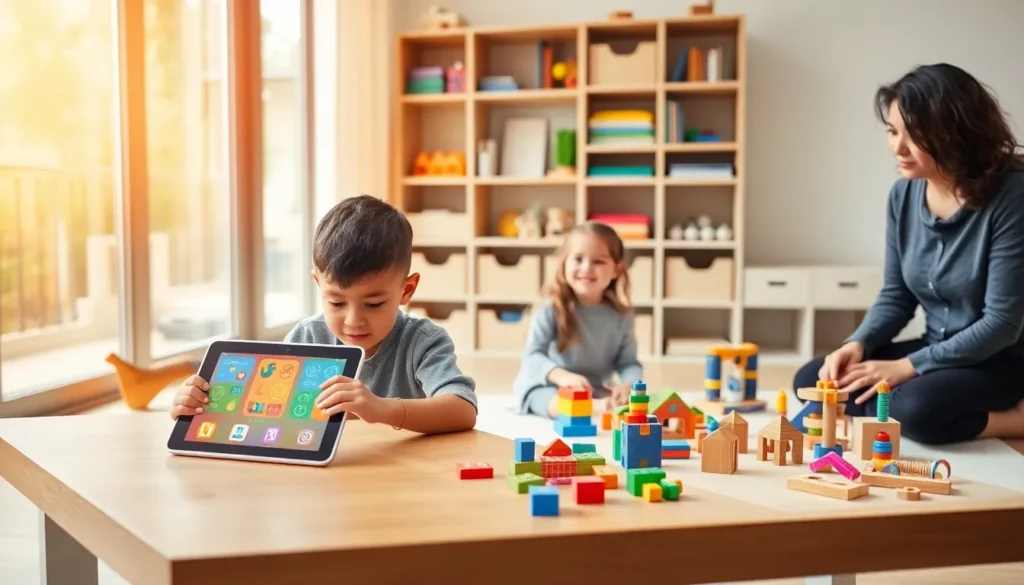
Finding the best educational apps and toys can transform screen time into genuine learning moments. Parents, teachers, and caregivers all want tools that engage children while building real skills. The good news? Today’s market offers excellent options for every age group and learning style.
From toddlers grasping basic shapes to preteens exploring coding, educational apps and toys have come a long way. They’re not just flashy distractions, the best ones combine fun with proven learning methods. This guide breaks down top picks across age groups, plus practical tips for choosing the right tools for any child.
Table of Contents
ToggleKey Takeaways
- The best educational apps and toys combine fun with proven learning methods, making kids feel like they’re playing rather than studying.
- Top educational apps like Khan Academy Kids, ABCmouse, and Prodigy Math offer age-appropriate content with progress tracking and engaging, game-like experiences.
- Hands-on learning toys such as wooden blocks, magnetic tiles, and shape sorters build essential fine motor skills and problem-solving abilities without screens.
- STEM toys like LEGO SPIKE Prime, Snap Circuits, and coding platforms like Scratch prepare older children (ages 6–12) for future academic success.
- When choosing educational tools, match them to the child’s developmental stage, learning style, and interests—and prioritize open-ended play over flashy features.
- Balance screen time with physical play, and remember that many excellent educational apps are free or available through local libraries.
Top Educational Apps for Kids
Educational apps give kids interactive learning experiences right on a tablet or smartphone. The best educational apps balance entertainment with real skill-building, keeping children engaged without relying on passive content.
Khan Academy Kids stands out as a free, comprehensive option for ages 2–8. It covers reading, math, social-emotional learning, and creative activities. The app adapts to each child’s level, which keeps frustration low and motivation high.
ABCmouse offers a full curriculum for children ages 2–8. It includes over 10,000 learning activities across reading, math, science, and art. Subscription-based, it tracks progress and rewards achievement with virtual prizes.
For reading skills, Homer uses personalized lessons to teach phonics and comprehension. Studies show children using Homer gain up to a month’s worth of reading skills for every two weeks of use.
Duolingo ABC helps kids ages 3–6 learn to read through bite-sized lessons. It’s free and uses the same gamified approach that made Duolingo popular with adult language learners.
Older kids benefit from Prodigy Math, which turns math practice into an adventure game. Over 50 million students use it, and teachers can track class progress through the platform.
When selecting educational apps, parents should look for:
- Ad-free experiences or parental controls
- Content aligned with age-appropriate standards
- Progress tracking features
- Offline access for travel or limited connectivity
The best educational apps feel like games while sneaking in genuine learning. Kids don’t realize they’re studying, they think they’re playing.
Best Learning Toys for Early Childhood
Young children learn best through hands-on play. The best educational toys for early childhood build fine motor skills, language development, and problem-solving abilities without batteries or screens.
Wooden building blocks remain a top choice for ages 1–5. They teach spatial awareness, balance, and cause-and-effect thinking. Simple? Yes. Effective? Absolutely.
Magnetic tiles like Magna-Tiles or PicassoTiles let toddlers and preschoolers create 3D structures. These toys introduce geometry concepts while encouraging creative play. They’re also satisfying to snap together, kids can spend hours building towers and houses.
Shape sorters help children ages 1–3 recognize different shapes and colors. They also develop hand-eye coordination and patience. Classic Fisher-Price and Melissa & Doug versions remain popular for good reason.
For language development, interactive reading toys like LeapFrog’s LeapReader introduce phonics and vocabulary. Children trace letters and hear words pronounced, connecting written and spoken language.
Play kitchen sets and doctor kits encourage imaginative play while teaching social skills. Kids practice communication, turn-taking, and empathy through pretend scenarios.
Puzzles appropriate for each age build problem-solving skills. Start with chunky wooden puzzles for toddlers and progress to 24-piece jigsaw puzzles for preschoolers.
The best learning toys for early childhood share common traits: they’re open-ended, durable, and invite repeated play. A child should be able to use the same toy in different ways as they grow and develop new skills.
STEM Toys and Apps for Older Children
As children grow, STEM toys and apps introduce science, technology, engineering, and math concepts in engaging ways. These tools prepare kids ages 6–12 for future academic success and potential careers.
LEGO Education sets combine building with coding and robotics. The LEGO SPIKE Prime kit teaches programming through hands-on projects. Kids build robots, then code them to move, respond to sensors, and complete tasks.
Snap Circuits lets children ages 8+ build working electronic circuits. They create radios, alarms, and lights while learning about electricity and engineering. It’s a satisfying way to understand how everyday devices work.
Osmo bridges physical play with digital learning. Kids use tangible pieces on a tablet to solve coding puzzles, practice math, and explore creative projects. The blend of screen and hands-on activity keeps engagement high.
For coding specifically, Scratch (free from MIT) teaches programming logic through drag-and-drop blocks. Children ages 8–16 create games, animations, and stories. Over 100 million projects have been shared on the platform.
Tynker offers structured coding courses for different skill levels. It starts with visual programming and progresses to real languages like Python and JavaScript.
Sphero robots give kids a physical object to program. They write code to make a ball-shaped robot roll, spin, and light up. Immediate feedback makes abstract coding concepts concrete.
Science kits like Thames & Kosmos and National Geographic series let kids run real experiments. They grow crystals, build volcanoes, and explore chemistry safely at home.
The best STEM toys and educational apps for older children encourage trial and error. Failure becomes part of learning, and persistence pays off with visible results.
How to Choose the Right Educational Tools
Selecting the best educational apps and toys requires matching tools to each child’s age, interests, and learning needs. A few key factors make the decision easier.
Consider developmental stage first. A toy meant for ages 3–5 will frustrate a 2-year-old and bore a 6-year-old. Read age recommendations, but also observe the individual child. Some kids are ready for challenges earlier: others need more time with foundational skills.
Match tools to learning style. Visual learners thrive with colorful apps and illustrated games. Kinesthetic learners need hands-on toys they can touch and manipulate. Auditory learners benefit from apps with songs, stories, and verbal instructions.
Check for educational value, not just entertainment. The best educational toys and apps teach specific skills, phonics, counting, spatial reasoning, coding logic. Look for products developed with input from educators or backed by research.
Prioritize open-ended play. Tools that allow multiple uses grow with children and encourage creativity. A set of blocks serves a toddler stacking towers and a school-age child building complex structures.
Read reviews from other parents. Real-world feedback reveals durability, engagement level, and whether kids actually use the product after the first week.
Set screen time limits for apps. Even the best educational apps shouldn’t replace physical play, outdoor time, or human interaction. The American Academy of Pediatrics recommends consistent limits and co-viewing when possible.
Budget wisely. Expensive doesn’t always mean better. Many free apps deliver excellent educational content. Libraries often lend toys and offer access to digital learning platforms.
The right educational tools feel less like assignments and more like play. When children choose to engage with them repeatedly, that’s the clearest sign of a good match.