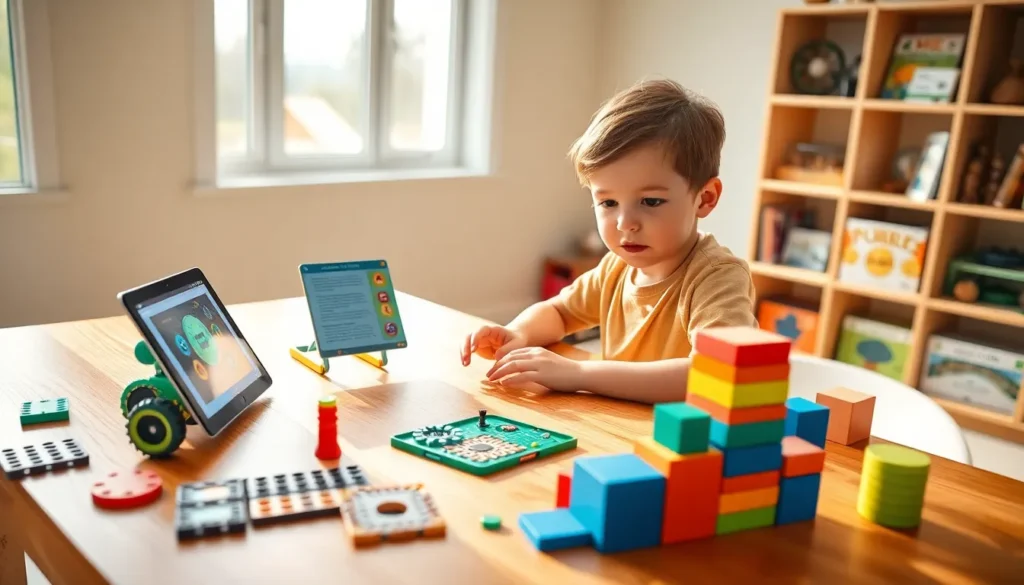
Educational apps and toys examples are everywhere, but which ones actually work? Parents and educators face hundreds of options, from coding robots to language-learning tablets. The right tools can turn screen time into skill-building and transform playtime into genuine learning. This guide highlights the best educational apps and toys examples across age groups, with a focus on what makes each option effective. Whether shopping for a toddler or a tween, these picks combine fun with real educational value.
Table of Contents
ToggleKey Takeaways
- The best educational apps and toys examples combine fun with real learning outcomes across all age groups, from toddlers to tweens.
- Top educational apps like Khan Academy Kids, Duolingo, and Scratch Jr offer engaging, age-appropriate content for reading, math, coding, and language skills.
- STEM toys such as coding robots, building kits, and science experiment sets turn abstract concepts into hands-on learning experiences.
- When choosing educational tools, match the product to the child’s age and skill level while prioritizing active participation over passive content.
- Balance screen time with physical toys to develop fine motor skills, spatial reasoning, and well-rounded learning.
- Read reviews from parents and educators to find educational apps and toys that maintain long-term engagement beyond initial excitement.
Best Educational Apps for Kids
The best educational apps for kids balance engagement with meaningful learning outcomes. Here are standout examples across different subjects and age ranges.
Khan Academy Kids
Khan Academy Kids offers free, ad-free content for children ages 2–8. The app covers reading, math, and social-emotional development through interactive activities. Its adaptive learning path adjusts to each child’s progress.
Duolingo
Duolingo makes language learning accessible for kids and adults alike. The gamified format keeps users motivated with streaks, points, and short daily lessons. Over 40 languages are available, making it one of the most versatile educational apps and toys examples for language skills.
ABCmouse
ABCmouse targets early learners with a full curriculum covering reading, math, science, and art. The step-by-step learning path works well for preschoolers and kindergartners. Subscription-based, it offers thousands of activities and books.
Scratch Jr
Scratch Jr teaches basic coding concepts to children ages 5–7. Kids create their own interactive stories and games by snapping together graphical programming blocks. It builds logical thinking and creativity without requiring reading skills.
Prodigy Math
Prodigy Math turns math practice into an adventure game. Students solve curriculum-aligned problems to progress through quests. Teachers and parents can track progress through a dashboard, making it useful for home and classroom use.
Top Learning Toys for Different Age Groups
Physical toys remain essential for hands-on learning. The best educational apps and toys examples include options for every developmental stage.
Toddlers (Ages 1–3)
For toddlers, shape sorters and stacking toys build fine motor skills and spatial awareness. The LeapFrog Learning Friends 100 Words Book introduces vocabulary through touch-and-learn pages. Simple puzzles with large pieces also encourage problem-solving at this age.
Preschoolers (Ages 3–5)
Preschoolers benefit from toys that introduce letters, numbers, and basic logic. Magna-Tiles and other magnetic building sets encourage creativity and early geometry concepts. The Osmo Little Genius Starter Kit combines physical play pieces with an app for interactive learning.
Elementary Age (Ages 6–10)
Older kids can handle more complex educational toys. LEGO Education sets teach engineering principles through building challenges. Snap Circuits introduces electrical engineering with safe, modular components. Board games like ThinkFun’s Rush Hour develop critical thinking and planning skills.
Tweens (Ages 10+)
Tweens often respond well to educational apps and toys examples that feel grown-up. Robotics kits like LEGO Mindstorms or VEX IQ offer real programming challenges. Chemistry sets and advanced science kits let them conduct experiments at home.
STEM Toys That Make Science Fun
STEM toys focus on science, technology, engineering, and math. These educational apps and toys examples turn abstract concepts into hands-on experiences.
Coding Robots
Coding robots like Sphero, Botley, and Cubetto teach programming through play. Kids write code to make robots move, dance, or complete obstacle courses. These toys build computational thinking and cause-and-effect understanding.
Building and Engineering Kits
Kits like K’NEX, Tinkertoy, and Erector Sets teach structural engineering basics. Children learn about balance, weight distribution, and mechanical systems by building. Many kits include challenge cards that guide projects step by step.
Science Experiment Kits
Science kits bring lab experiments home. National Geographic and Thames & Kosmos offer kits covering geology, chemistry, and biology. Kids can grow crystals, build volcanoes, or examine specimens under microscopes. These kits make abstract science concepts concrete.
Math Manipulatives
Physical math tools like base-ten blocks, fraction tiles, and pattern blocks help kids visualize mathematical relationships. These manipulatives support classroom learning and make assignments practice more effective.
How to Choose the Right Educational Tools
With so many educational apps and toys examples available, choosing the right ones matters. A few key factors help narrow down the options.
Match the Child’s Age and Skill Level
Products that are too easy bore kids. Products that are too hard frustrate them. Look for age recommendations, but also consider the individual child’s abilities and interests.
Prioritize Active Learning
The best educational tools require participation. Apps that ask kids to solve problems, create content, or make decisions teach more than passive videos. Toys that encourage building, experimenting, or storytelling outperform those with limited interaction.
Check for Curriculum Alignment
For school-age children, tools that align with grade-level standards reinforce classroom learning. Many educational apps and toys examples list the skills or subjects they cover. Teachers and tutors can recommend products that match current lessons.
Limit Screen Time Wisely
Apps offer convenience, but balance matters. Physical toys build fine motor skills and spatial reasoning that screens cannot replicate. A mix of digital and hands-on learning tools provides the most complete experience.
Read Reviews from Parents and Educators
Real user feedback reveals whether products hold children’s attention and deliver on promises. Look for reviews that mention long-term engagement, not just initial excitement.