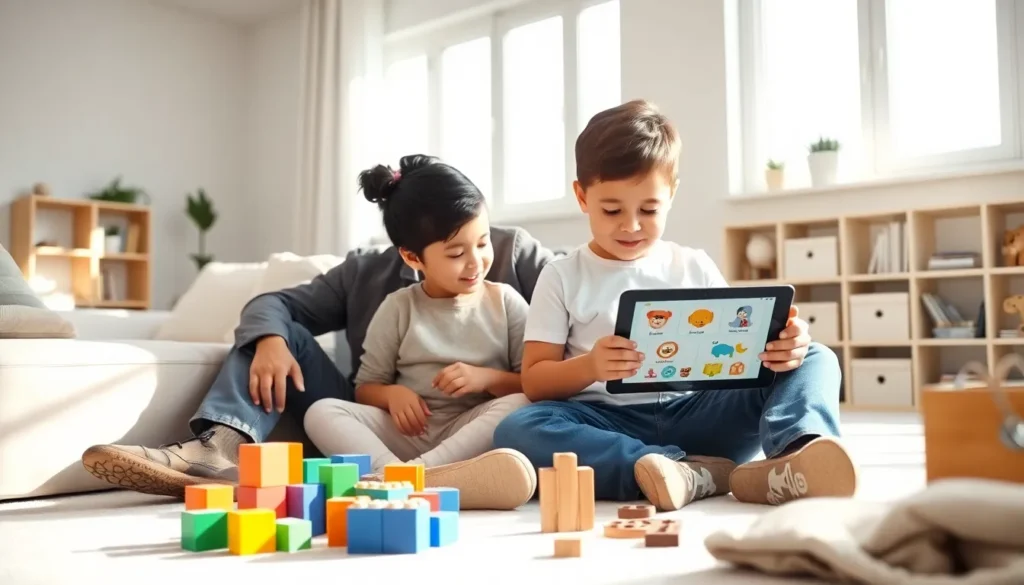
Finding the right educational apps and toys can feel overwhelming. Parents face thousands of options, each claiming to boost learning and development. This educational apps & toys guide breaks down what actually works. It covers how to pick age-appropriate tools, the best app categories, hands-on toy options, and how to balance screen time with physical play. The goal is simple: help parents make informed choices that support their child’s growth without the guesswork.
Table of Contents
ToggleKey Takeaways
- Match educational apps and toys to your child’s developmental stage and individual interests for the best learning outcomes.
- Choose apps that adapt to skill levels to keep children engaged without causing frustration or boredom.
- Mix digital learning with hands-on toys like building blocks, STEM kits, and art supplies to develop a wide range of skills.
- Set clear screen time limits and prioritize co-playing with your child to make educational app time more meaningful.
- This educational apps & toys guide recommends balance—combine categories and rotate between screens and physical play throughout the week.
- Open-ended toys that encourage imagination often provide more lasting educational value than toys that do everything for the child.
How to Choose Age-Appropriate Educational Tools
Selecting educational apps and toys requires matching the tool to a child’s developmental stage. A puzzle designed for a six-year-old will frustrate a toddler. An app meant for preschoolers won’t challenge a third-grader. Age matters, but so does individual readiness.
Start by checking the manufacturer’s recommended age range. This provides a baseline, though parents should also consider their child’s interests and abilities. A child who loves numbers might enjoy math apps earlier than peers. Another child might prefer building blocks over tablet games.
Look for educational apps that adapt to skill levels. The best ones adjust difficulty based on performance. They keep kids engaged without causing frustration or boredom. Static apps that never change often lose a child’s attention quickly.
For toys, consider what skills they develop. Fine motor skills, problem-solving, creativity, and social interaction are common targets. Blocks and construction sets build spatial reasoning. Art supplies encourage self-expression. Board games teach turn-taking and strategy.
Safety also plays a role in this educational apps & toys guide. Physical toys should be free of small parts for young children. Apps should have parental controls and no in-app purchases that kids can access. Reading reviews from other parents helps identify potential issues before purchase.
Top Categories of Educational Apps Worth Exploring
Educational apps fall into several categories, each targeting different skills. Understanding these categories helps parents build a balanced digital toolkit.
Literacy and Reading Apps
These apps teach letter recognition, phonics, vocabulary, and reading comprehension. Many use stories, games, and interactive elements to make learning fun. Apps like ABC Mouse and Homer focus on early readers, while Kindle Kids and Epic offer digital libraries for older children.
Math and Logic Apps
Math apps range from counting games for toddlers to algebra practice for teens. They often include puzzles, quizzes, and progress tracking. Prodigy, DragonBox, and Khan Academy Kids rank among popular choices. Logic-based apps like chess or coding games also fit this category.
Science and Discovery Apps
Curiosity drives learning. Science apps let kids explore biology, physics, astronomy, and more through videos, experiments, and simulations. Toca Lab and BrainPOP offer engaging content that sparks questions.
Creativity and Art Apps
Drawing, music, and animation apps encourage creative thinking. They give children tools to express ideas without needing physical supplies. Procreate Pocket and GarageBand are examples that work well for older kids.
Language Learning Apps
Apps like Duolingo and Babbel make second-language learning accessible. Short lessons and gamified progress keep kids motivated.
This educational apps & toys guide recommends mixing categories. Variety prevents burnout and develops multiple skills simultaneously.
Best Types of Educational Toys for Hands-On Learning
Physical toys remain essential, even in a digital age. They engage senses that screens cannot. Hands-on play builds muscle memory, spatial awareness, and social skills.
Building and Construction Toys
LEGO, Magna-Tiles, and wooden blocks encourage creativity and engineering thinking. Children plan, build, and problem-solve. These toys grow with kids, simple stacking becomes complex architecture over time.
STEM Kits and Science Toys
Chemistry sets, robotics kits, and circuit boards introduce scientific concepts through experimentation. Brands like Snap Circuits and Osmo blend physical components with digital feedback. Kids learn cause and effect firsthand.
Puzzles and Brain Games
Jigsaw puzzles, Rubik’s cubes, and strategy games develop critical thinking. They require patience and persistence. Completing a difficult puzzle gives children a genuine sense of accomplishment.
Pretend Play and Role-Playing Toys
Kitchens, tool sets, doctor kits, and dress-up clothes let children explore adult roles. This type of play builds empathy, language skills, and social understanding.
Art and Craft Supplies
Crayons, clay, scissors, and paper are timeless. They develop fine motor skills while allowing unlimited creative expression. No batteries required.
The best educational toys invite open-ended play. Toys that do too much leave nothing for the child’s imagination.
Balancing Screen Time With Physical Play
Screen time concerns are valid. Too much passive screen use can affect sleep, attention, and physical health. But not all screen time is equal. Interactive educational apps differ from endless video scrolling.
The American Academy of Pediatrics recommends children ages two to five limit screen time to one hour per day. Older children need consistent limits too. Parents should set clear boundaries and stick to them.
Here’s a practical approach: treat screens as one tool among many. Just as a child wouldn’t play with blocks all day, they shouldn’t use apps all day either. Rotate between educational apps and toys throughout the week.
Co-viewing and co-playing make screen time more valuable. When parents engage with apps alongside children, learning deepens. Ask questions. Discuss what’s happening. Connect app content to real-world experiences.
Physical play should remain the priority for young children. Running, climbing, and outdoor exploration develop motor skills that no app can replicate. Use educational toys to bridge the gap between screen learning and hands-on activity.
Schedule screen-free times, meals, bedtime routines, and family activities work well. This teaches children that screens have limits and that other activities hold value too.
This educational apps & toys guide emphasizes balance. Neither extreme works. Banning all screens ignores useful learning tools. Unlimited access risks overuse. Moderation lets children benefit from both worlds.