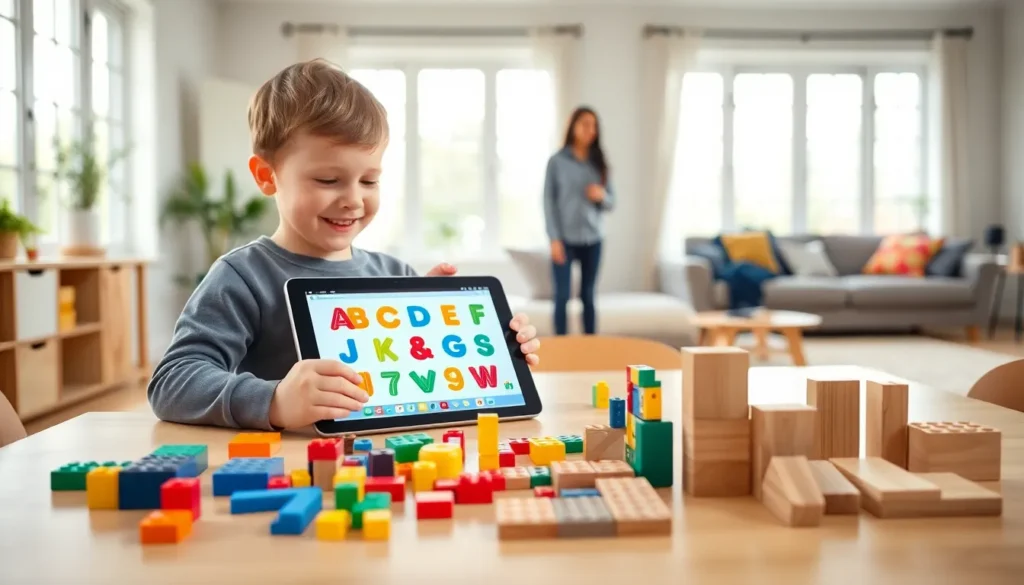
Top educational apps and toys shape how children learn, play, and grow. Parents today have access to thousands of options, from interactive tablet games to building blocks that teach engineering basics. The challenge lies in finding tools that actually deliver results. This guide breaks down the best educational apps for children, highlights hands-on learning toys, and explains how to pick the right resources for any age group. Whether a child is two or twelve, these recommendations help families make smarter choices.
Table of Contents
ToggleKey Takeaways
- Top educational apps like Khan Academy Kids, ABCmouse, and Prodigy Math turn screen time into skill-building opportunities for children of all ages.
- Hands-on learning toys such as LEGO, Magna-Tiles, and Snap Circuits develop motor skills, creativity, and problem-solving without screens.
- Choose educational apps and toys that match your child’s developmental stage and allow open-ended play for deeper learning.
- Balance screen time with physical play by setting clear limits and pairing digital learning with hands-on activities.
- Look for apps that track progress and toys that grow with your child to maximize long-term educational value.
- Always check safety standards, privacy policies, and parent reviews before purchasing any educational product.
Best Educational Apps for Children
Educational apps turn screen time into skill-building time. The right app teaches reading, math, or critical thinking while keeping kids engaged.
Apps for Toddlers (Ages 2–4)
Toddlers benefit from apps that focus on basic shapes, colors, and letter recognition. Endless Alphabet introduces vocabulary through interactive puzzles. Khan Academy Kids offers free lessons covering reading, writing, and social-emotional learning. Both apps use bright visuals and simple touch controls designed for small fingers.
Apps for Preschool and Early Elementary (Ages 4–7)
Children in this age range are ready for more structured learning. ABCmouse provides a full curriculum covering reading, math, science, and art. Duolingo ABC helps kids learn to read through phonics-based games. DragonBox Numbers makes early math concepts feel like play rather than assignments.
Apps for Older Kids (Ages 8–12)
Older children need apps that challenge their growing minds. Prodigy Math gamifies grade-level math problems. Scratch from MIT teaches coding through creative projects. BrainPOP covers subjects from science to history with short animated videos and quizzes.
Parents should look for educational apps that track progress. Many top educational apps provide reports showing what skills children have mastered. This feature helps adults understand where kids need extra practice.
Top Learning Toys for Hands-On Development
Physical toys remain essential for child development. They build motor skills, encourage creativity, and teach problem-solving without any batteries required.
Building and Construction Toys
LEGO sets span every age and interest level. Classic bricks work for toddlers, while Technic sets challenge teenagers. Magna-Tiles help younger children understand geometry through magnetic building. K’NEX introduces basic engineering principles as kids construct bridges, vehicles, and structures.
STEM Toys
Science, technology, engineering, and math toys prepare children for future learning. Snap Circuits teaches electronics through hands-on circuit building. Osmo blends physical pieces with iPad apps for interactive STEM lessons. Gravitrax uses marble runs to demonstrate physics concepts like momentum and gravity.
Pretend Play and Social Development
Not all learning toys focus on academics. Play kitchens and doctor kits help children develop social skills and emotional intelligence. These toys encourage imagination and teach kids to understand different roles and responsibilities.
Puzzles and Strategy Games
ThinkFun games like Rush Hour and Gravity Maze develop logical thinking. Traditional jigsaw puzzles improve spatial awareness and patience. Chess sets introduce strategic thinking early, many champions started playing before age six.
The best learning toys grow with children. A quality building set entertains a five-year-old and still challenges a ten-year-old.
How to Choose the Right Educational Tools
Selecting educational apps and toys requires more than reading reviews. Parents should consider several factors before making purchases.
Match Tools to Developmental Stages
A toy that frustrates a three-year-old might fascinate a five-year-old. Check age recommendations, but also assess individual readiness. Some children advance quickly in certain areas while needing support in others.
Look for Open-Ended Play Options
The best educational toys allow multiple uses. A set of wooden blocks can become a castle, a city, or a spaceship. Apps that let children create, rather than just consume, build deeper skills.
Check for Quality and Safety
Physical toys should meet safety standards for the intended age group. Apps should have no hidden advertisements or in-app purchases that children might accidentally trigger. Check privacy policies for any app that collects data.
Consider Long-Term Value
Top educational apps often require subscriptions. Calculate the annual cost before committing. For toys, invest in durable items that siblings can share or that hold resale value.
Read Parent Reviews
Other parents provide honest feedback about whether products deliver on their promises. Look for reviews that mention how long children stayed engaged and what skills they actually learned.
Balancing Screen Time With Physical Play
Educational apps offer clear benefits, but children also need time away from screens. Finding balance matters for healthy development.
Set Clear Time Limits
The American Academy of Pediatrics recommends no more than one hour of screen time daily for children ages two to five. Older kids need boundaries too. Use built-in device timers or apps like Screen Time to enforce limits automatically.
Pair Digital and Physical Learning
Some of the best results come from combining educational apps with hands-on activities. A child might use a coding app in the morning, then build with LEGO in the afternoon. This approach reinforces concepts through different learning styles.
Create Screen-Free Zones
Keeping tablets and phones out of bedrooms and away from dinner tables encourages family interaction. Physical toys naturally fill these spaces when screens aren’t an option.
Model Healthy Habits
Children watch adult behavior closely. Parents who put down their own phones and engage in hands-on activities demonstrate the balance they want kids to achieve.
Use Apps as Rewards
Some families allow educational app time after completing physical play or outdoor activities. This structure teaches delayed gratification while ensuring children get movement throughout the day.